Page 2 of 4
<< Previous | Next >>

Where are you? How to Read a Listing

Working with the Databases

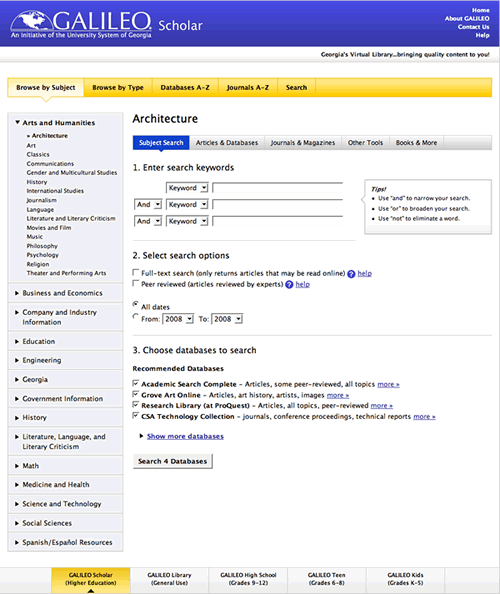
Don't know the category in which you are currently working? Look at the upper left side of the work area. The bold heading will tell you which category is currently being displayed in the work area. The smaller bold headings indicate the subcategory. In the example shown below we're in "Arts & Humanities" category and the "Art and Architecture" subcategory.

Screen capture of GALILEO database listing in the 'Art and Architecture' subcategory of the 'Arts and Humanities' category with icons highlighted and enlarged.

How to Read a Listing

When you click on a category, a list of subcategories with a list of relevant databases appears in the work area of the screen.

Each item's title in the database list acts as a link to that database.

In the example above, look at the "Art Index" listing.

'jump to' arrow icon This "try this first" arrow icon means that "Art Index" is one of the databases you should search first in the "Art and Architecture" subcategory.

'i' information icon.This "information icon" next to a database listing serves as a link to a screen where you can get more detailed information about that particular database, including the dates of coverage and how often the database is updated. For example, when you click on the 'i' information icon. for "Art Index" you get the following information:

Art Index covers 404 art publications from around the world. Subjects covered include: archaeology, architecture, art history, city planning, crafts, landscape architecture, film, fine arts, folk art, graphic arts, industrial design, interior design, and photography. The print edition counterpart to this database, Art Index, published by the H.W. Wilson company began in 1929.

OCLC provides title lists of periodicals included in their many databases. (Not all FirstSearch databases are included in GALILEO.) Once at their Periodical Titles in OCLC FirstSearch page, select the name of the database of interest then click the "List Titles" button. Other options are also available, such as "Search by Title," to discover in which database a publication is included. NOTE: Use the browser's BACK button to return to GALILEO.

Database provider: An OCLC FirstSearch database
Coverage Dates: September 1984 to the present
Update Frequency: Monthly
Subject Categories: Arts & Humanities, All Databases, Art & Architecture

Clicking on this pin icon indicating express link. GALILEO Express Link icon beside a database title takes you to a page where you can create a direct link to the database (in this case, "Art Index"), and/or create a direct link to the list of databases (in this case "Arts and Architecture").

This page icon indicating full text database. page icon after a database name indicates a full text database.

Page 2 of 4
<< Previous | Next >>